

5 Blog Maintenance Tasks You Can Do Right Now

Blog Maintenance Tips – 5 Blog Maintenance Tasks You Can Do Right Now – [Last Updated March 2023]
Blog maintenance is something that I find always seems to slip through the cracks.
I have good intentions of getting on top of it all but often find that I’ll convince myself that I’ll do it tomorrow or another day.
But, with some time on my hands lately I’ve started getting on top of it and have found it’s a lot easier and quicker than I remembered.
So, I wanted to share 5 blog maintenance tips with you to help improve your blog.
If you’re like me and procrastinate quite a bit when it comes to keeping your blog “in good health” so to speak, these tips are for you!
Even if you’re not, they are still good practice and will help your blog in the long run.
*This post contains affiliate links which means I may earn a small commission if you make a purchase through this link. But don’t worry, there is no extra cost to you. I will never recommend anything I wouldn’t personally buy myself. Please read my Privacy Policy here for more info. Thank you!*
5 Blog Maintenance Tasks You Can Do Right Now

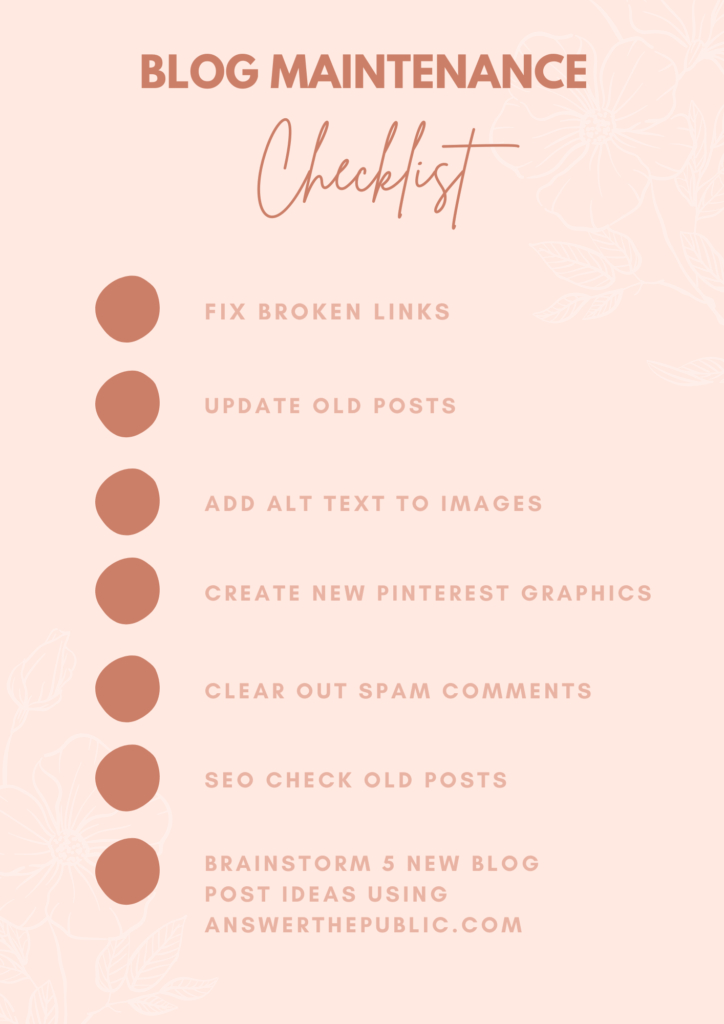
1. Check broken links
Checking broken links used to be a task that I didn’t look forward to and in any way.
I still don’t “look forward” to it, but I find it much easier to bare now and can have it running in the background whilst I do other things.
Yay for multitasking.
This is the site that I use to check broken links –
Keeping up with broken links is important and I would recommend doing this at least once a month so that there aren’t links leading to a 404-error page.
I find that a lot of my broken links come from comments left on my blog from others who may not have their blog anymore or have changed their URL, so don’t be afraid to delete comments that have links that lead to an error page.
You may want to keep all the comments you can and I get that, we all do!
But in the long run it is much better for your blog to get rid of those links.
It is also good for your overall SEO plus can help when it comes to your Domain Authority.
As well as comments from people holding links, some pages or sites you have linked to in the past may also be “bad links”, so be sure to keep on top of that.
2. Update old posts
Updating old posts is good practice because it keeps their quality up as you grow, and it means that you can still keep the content relevant.
You don’t have to re-write the full thing, although I would suggest this if you are like me and have blog posts about 5 years old.
My writing style is a little different from when I stared, it’s elevated for sure because back in 2015 I was quite ‘rough and ready’.
So, I make a habit now of choosing 3 posts per month to update.
Ways to update your post
- Update photos
- Check spelling and grammar
- Make new Pinterest graphics
- Re-write
- Add in a new perspective
3. Add ALT text to images
Alt text, also known as alt tags or alt descriptions are important because they are used within HTML code to describe the images on the page.
Having alt text is good because it is a way for visually impaired people or people who can’t see the images to also enjoy your content as it will help them get a better idea of the images going along with your blog post.
It’s important to make sure your website can be enjoyed by everyone
As well as being good for a better user experience, it will also help your blog SEO wise.
When your search for things on a search engine such as google you will see image results and that is because the alt text used for these images relates to what you are searching.
So, in the long run if you have good alt text you can have your images showing up in search results and could help you rank higher on search engines.
For more information on this plus examples, you can check out Moz’s alt text for images page – moz.com/learn/seo/alt-text
This is where I learned the most about alt text and why it is important.
4. Create new pinterest graphics
You may or may not already create Pinterest graphics for your blog posts, if you’re not, you have to start!
Pinterest is great for boosting your engagement and having a pinable image on your post lets others pin your post as well as yourself and in turn can bring more traffic.
I tend to make one Pinterest graphic that I put in my post but will create several different designs for the one post that I will directly put into Pinterest.
Example:

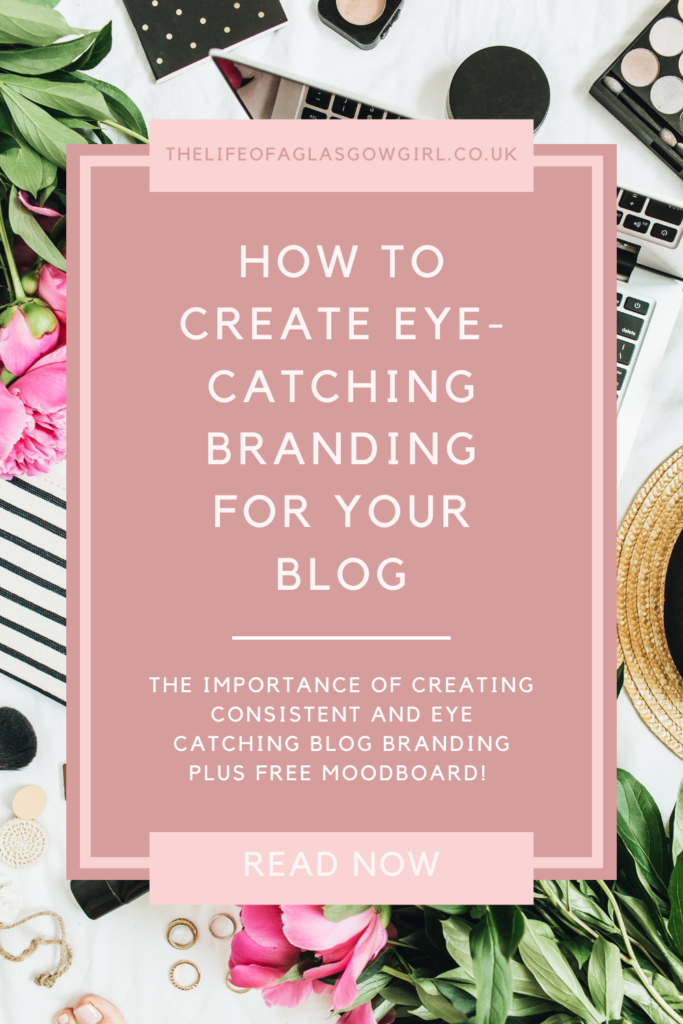
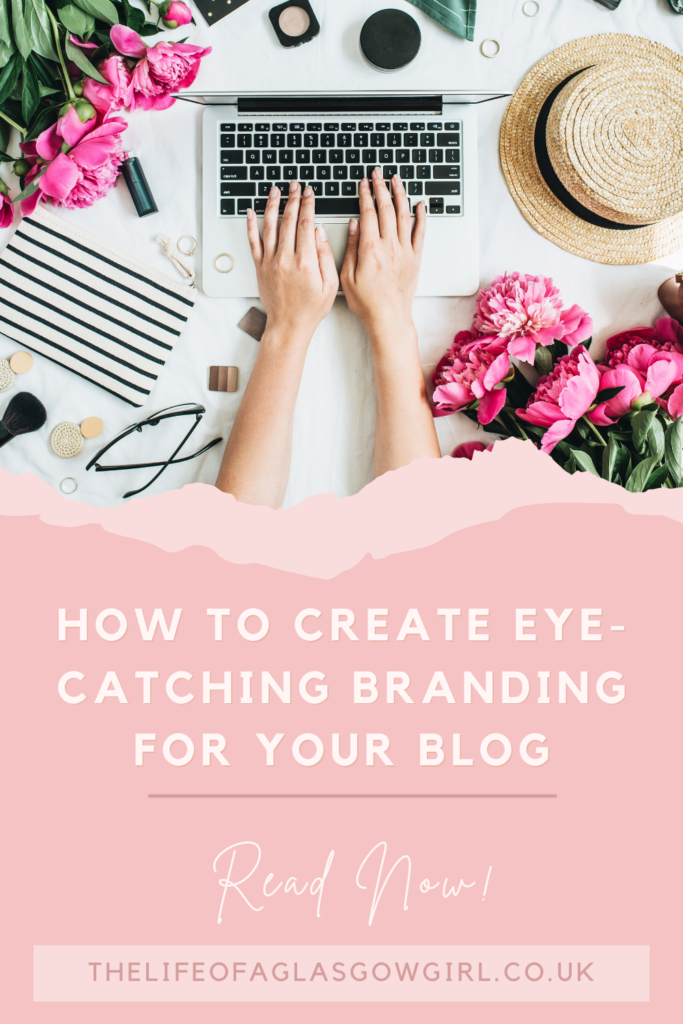
These three Pinterest graphics are for my blog post How to Create Eye-Catching Branding for Your Blog – but I have made many other designs for it over the months since the post went live.
It is a great way to keep traffic coming to your blog plus provides different designs that may appeal to different people.
When creating your Pinterest graphics, make sure that they are clear and that you can tell exactly what the post will be about, even if you are changing up the wording like I have.
Keep it specific and when you are writing the description in pinterest, make sure you are including key words as this will help it show up in peoples searches.
Pinterest Pins


Use stand out Pinterest Pin Templates that fit your branding to showcase your content and are clearly designed for converting views.
Want to free up some time and get easy, beautiful Pinterest pins that are effective? Then check out my Etsy store which has a variety of different Pinterest Pin Templates.
All are completely customisable, easy to use and take the time out of creating endless pins.
The Pinterest Pin Templates have been designed with the Pinterest optimal specs and created to be bold, stand out and convert views into clicks.
GEt your hands on eye-catching Pinterest Pins Today!
See all of the available designs on my Etsy store.
5. Clear out spam comments
We all love getting comments on our blog, don’t we?
It’s a great way to connect with your readers and I don’t know about you, but I feel genuinely overwhelmed when people comment because I know people are reading my posts and it’s a great feeling.
But, we are bound to get those spam comments from time to time, you know those comments that simply say “great” or “check out this website on loo roll”.
I mean, they add nothing to your blog so you may as well get rid of them and tidy things up.
A good rule of thumb that I have followed for a few years is 8 words or more
I remember reading about this in a blogging Facebook group, there was a SEO expert doing a live and answering questions.
One of the questions asked was –
“How long should a blog comment be”
And they replied with 8 words or more.
Now, I honestly don’t know how true this is as I have searched everywhere trying to find information on this but I can’t find anything. So, take it with a pinch of salt if you like.
But, I am simply stating the rule of thumb that I follow and have found works for me.
If you want more on blog commenting etiquette you can check our my post Blog comments I can’t stand.
I have found that having comment approval on is so much easier for clearing out comments as I can vet them before they are even posted making this task a lot easier.

Final Thoughts
And there you have it, 5 blog maintenance tasks that you can do to keep your blog tidy and running smoothly.
Blog maintenance doesn’t have to be boring or feel like a chore.
If you keep on top of it, it’s actually pretty easy and once you are done, the sense of achievement feels great.
The Blog Workbook
AD/Own Product
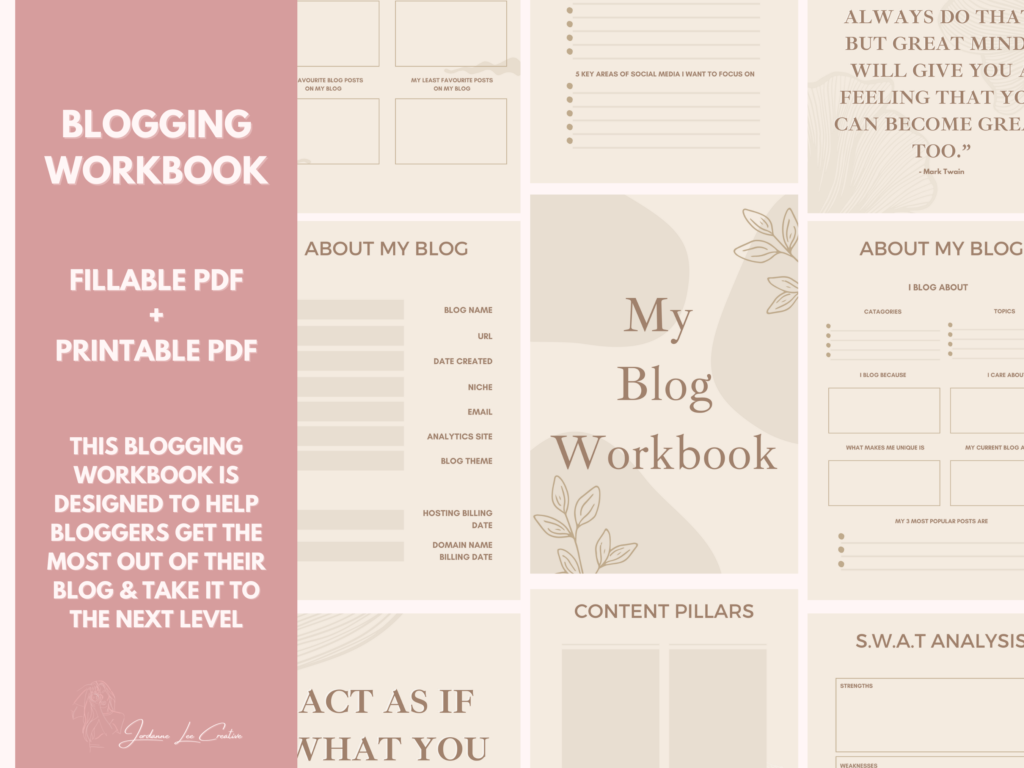
This blogging workbook has been created with you, the blogger at the forefront.
As a full time blogger myself, I know how important it is to have a plan that works and fits YOUR needs.
This workbook will help you gain focus and clarity on your blog and how you can achieve your goals.
I made this to help bloggers take charge of their blogging journey and reach new heights.
This workbook will take you through your plan step by step to help you get a better idea of what it is you need to do to achieve your goals and have a successful blog.
But the best part about this workbook is that it leaves room for change if at any point you need to revisit your plan and make changes, because I know that life throws curveballs when we least expect it and we need adaptability.
This workbook offers you that adaptability
Plus, there are also really handy blog planning pages to help get your blog organised and keep you on top of blog organisation.
There are a variety of useful pages that are designed to help you create your very best content, with checklist and more.
You will also find room for tracking your stats, setting goals, planning social media posts, monthly evaluations and more.
Take charge of your blogging journey today and take your blog to the next level with this Blog Workbook.
Get your copy of the Blogging Fillable PDF and Printable workbook today!
Buy on Etsy // Black & White Version









I have just come across your blog and I really enjoy it, so I shall be adding you to my readers list!
I have definitely being doing some blog admin to make sure that my blog is running efficiently!
Jess
Aww thank you so much! 🙂
This was a really great post. I'm going to make a point of creating Canva pins for all of my blog posts and get them circulated on Pinterest. I generally only create one Canva pin per blog post but you're so right in saying that creating several different designs for Pinterest will help generate more traffic. I'd never considered doing that so this blog post has been helpful for me – thank you!
Thank you so much for commenting 🙂 I'm glad this could be useful! I was the same, I thought one pin was enough but since creating several different ones I've seen just how useful it can be.
This post is so helpful – I've recently transferred from Blogger to WordPress and changed my domain, and I've just checked the broken link tracker and there are so many!! That is now a job for today! xx
– Charlotte
So glad that it was helpful! 🙂 it's amazing how many broken likes pile up!
This is such a great post! I have a broken link checker running in the background too and I always keep on top of it, as it's on my wordpress homepage. Pinterest graphics are a huge help too, I didn't think they made that much of a difference, but they really do xx
Hannah
Thanks hun! I really wish there was a widget or plugin for blogger to do that haha would make it so much easier!
I'm due to do a broken link check for my blog, it's something I'll definitely be making time for now I'm isolating! x
Lucy
It's a great way to tidy up your blog and improve SEO, I definitely need to get on that this month.
Thanks for the helpful tips, I'm hoping to get some issues sorted out with broken links sorted out 🙂
Nic
Aww I'm so glad it was helpful! Definitely recommend sorting out links x
Thanks for the tips! I'll be sure to get some of these done now that I have the time. I can't remember the last time I checked my broken links, which is pretty terrible haha
Em xx
Thank you for this post! I have been THE worst at procrastinating with maintenance of my blog lately so this is just what I needed! X
My blog maintenance is awful, I must admit, and a lot of that is because of not having enough time, which I know is no excuse, really. Thank you for this – there are some great tips here. I'm never sure whether to touch old posts or not but now I'm definitely going to start tackling some older ones for sure – even just the layout now makes me cringe! Aha. Thanks for sharing – so helpful!
Thank you for these tips! Great post!
Excellent tips there Jordanne. I was feeling quite smug as I read through the first 3 tasks; yep, I do that, and that, and that …. until I reached my Achilles heel, my nemesis, call it what you will – I just don't do enough on Pinterest! I know that I should, but I never seem to find the time to do it. And my design skills aren't brilliant either so that puts me off. Oh well, finished on a positive note – I'm ruthless with my comment spam 🙂
This post is super helpful – I really do need to get a crack on my blog maintenance routine!
I'll be looking back at my old posts and adding some pinnable graphics. I've just created a Pinterest a/c for my blog. Exciting but lots to learn.
Thanks for the tips Jordanne
Great tips! I really need to update my older blog photos and add alt text to them.
Valerie
Found this so useful I always forget about broken links
Very interesting article Jordanne! I have a lot of broken links.
wow! realised that i need to fix broken links and update old posts! great post btw x
erin