

How to Start a Blog: An In-depth Guide on Starting Your Blog

How to Start a Blog | Guide to Blogging Pt. 2 [Last Updated – Feb 2025]
So, you’ve decided to start a blog.
You’ve made up your mind and it’s time to start. But, wait a minute, you ask yourself “Where do you start?” And “How do you get started on your blogging journey?”
Let me help you.
*This post contains affiliate links which means I may earn a small commission if you make a purchase through this link. But don’t worry, there is no extra cost to you. I will never recommend anything I wouldn’t personally buy myself. Please read my Privacy Policy here for more info. Thank you!*
Starting a blog has been the best thing I’ve ever done for myself. It’s been a magical journey filled with lots of highs, but there have been a few lows.
Although blogging is a huge passion of mine, there are some steps along the way where I stumbled.
There will be hurdles in your journey, but overcoming them is a huge achievement. I say this not to put you off, but to set realistic expectations.
Blogging is an amazing hobby or job depending on the path you take. It’s a unique experience that is worth seeing first hand.
But remember that there will be times where you may feel like giving up. Don’t.
You deserve to see this journey through.
Starting a blog

How to Start a Blog Step one – Create a plan of action
When it comes to starting your blog, it’s a good idea to have a plan of action in place.
A plan that will help see you through the first few months to help you achieve your long term blogging goals.
There are a few ways you can make this plan such as using a journal, getting a dedicated blogging planner, a notepad or even using The Blog Workbook.
It doesn’t matter where you create it, just make sure it’s somewhere you can reference the plan often and take notes.
Creating your plan
In your plan of action you’re going to want to include the following
- Blog name
- Domain name
- Social media handles
- Where you plan on hosting your blog
- What content you’ll write
- If you have a specific niche
- Is this a hobby or a business?
- Your unique selling points
- S.W.A.T analysis
- Branding
- Short term goals
- Long term goals
These are some points that you should talk about within your action plan. Address each of them and write a little something on them.
To help give you an idea of an action plan, check out this mockup Plan of Action
This is a mock-up of what an action plan could look like for your blog. As you can see, I have used a fictional blog to create this action plan to show what a new start up blog would look like.
Feel free to use this format when creating your blog action plan. I will have this template live on June 1st when my blogging resource library is open!
Once it is live, I will link it here.
Blog Niche
Although I decided to go with a cooking themed blog in this mock-up action plan, it can be used with all niches out there.
If you don’t feel like you have a specific niche, that’s ok. I mention this because it’s spoken about a lot that you HAVE to have a niche for blogging.
But, that’s not true.
As someone who likes to blog about a multitude of topics, I understand how frustrating it can be when that’s what you hear over and over again in blogging posts. A lot of posts out there specify that you must choose a specific niche to be successful.
That’s not true though. There are many blogs out there that aren’t one niche that are thriving.
If you can’t niche down, consider going with lifestyle or everyday blogger.
The Blog Workbook
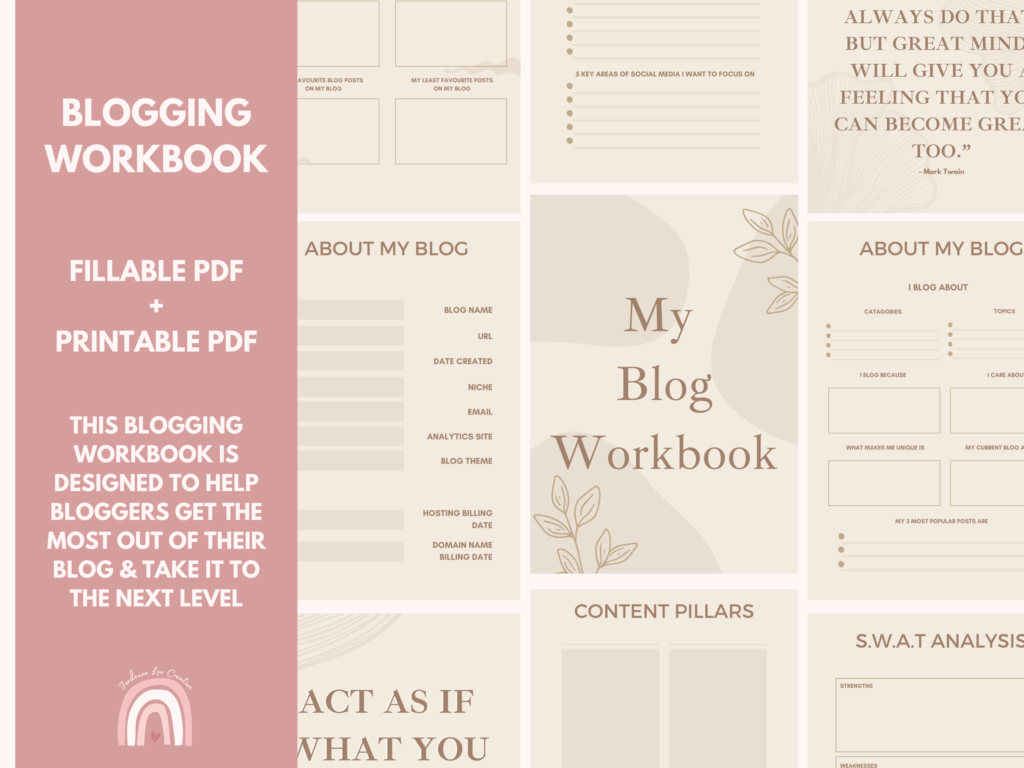
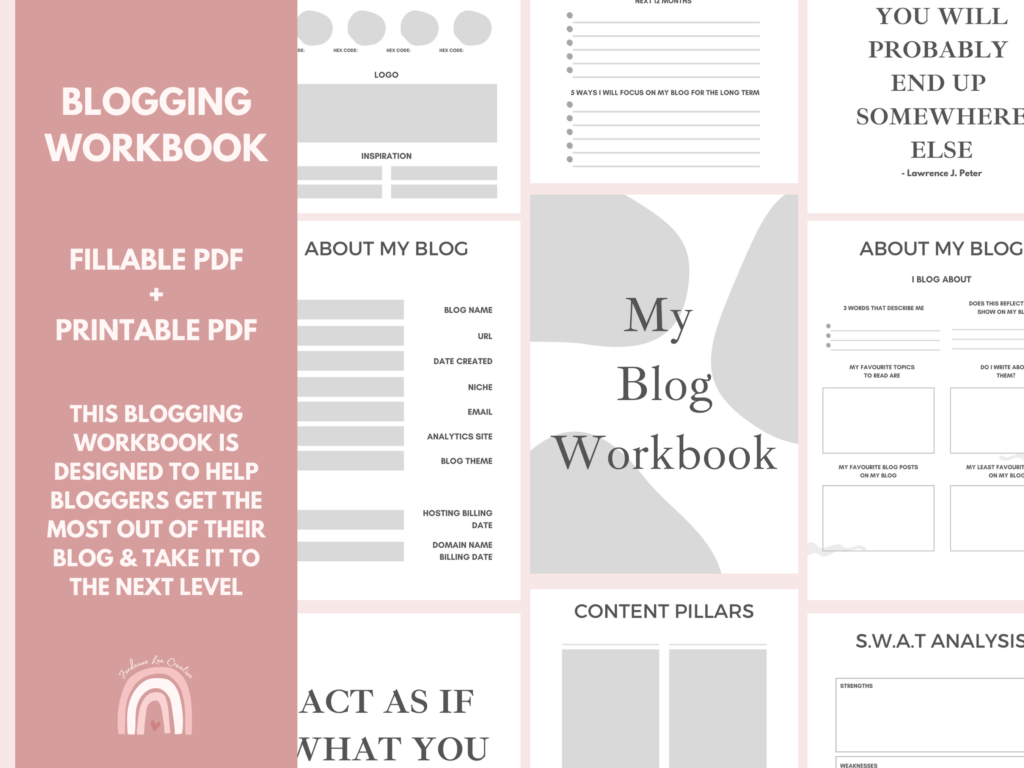
If you’re looking for an all in one resource for staying organised with your blog and creating an action plan, then check out my Blog Workbook.
The Blog Workbook is a great starting resource for new bloggers who are looking to invest in their blog and take action or long time bloggers who are a little lost or need a refresh.
It has been designed with you, the blogger at the forefront.
A workbook that will help you gain focus and clarity on your blog and how you can achieve your goals.
I made this to help bloggers take charge of their blogging journey and reach new heights by creating stand out content and finding your unique points.
Get your copy of the Blogging Fillable PDF and Printable workbook today!

How to Start a Blog Step two – Create your blog
It may feel scary going to create your online space, but it’s easier than you think. No need to know coding or how to edit HTML, there are lots of Hosting options to suit your needs.
You’ll want to think about which platform you’re going to use. But the main ones are:
- WordPress
- Square Space
- Blogger/Blogspot
- Wix
When you’re just starting out you probably won’t want to be splashing the cash. So, it’s important to find the best option for you.
Let’s take a look at my personal recommendation.
Web Hosting
Something that has been invaluable to my blogging journey is changing my Web Hosting and being on WordPress now.
For years I used Blogger/Blogspot for my blog and bought a domain name via GoDaddy. But, I hated that I had very little wiggle room when it came to customisation.
So, I eventually took the leap and I switched to a WordPress Blog via Lyrical Host. My biggest worry was how complicated it all seemed and I had no idea what I was doing when it came to switching it all.
Luckily Lyrical Host do it for you.
With each Web Hosting package they have, you get a free website and email migration meaning Lyrical host will do all the hard work for you.
I was prepared for my blog to be down for a few days but Lyrical Host had it up and running within hours, HOURS! I couldn’t believe it.
Everything was straight forward, I was kept in the loop the whole time and it was done in no time.
So, if you have already started your blog but you’re looking for a better hosting package, definitely consider Lyrical Host.
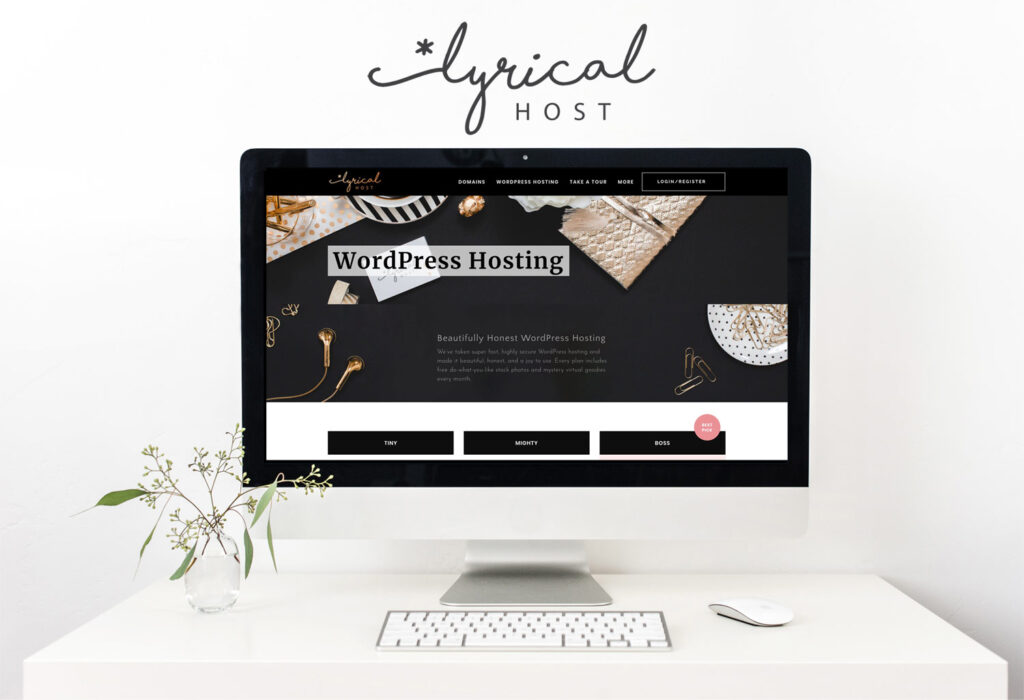
Why Lyrical Host?
Not only do they have this free service, there are a whole host of great perks when you go via Lyrical Host.
Now, it depends on what plan you go for as they have three, but here are some of Lyrical Hosts best features.
- Free stock photos each month
- Subdomains
- Free theme installation
- Free malware scans
- 30 day money back guarantee
- Free website speed analysis
- Automatic daily backups
As well as these amazing features of Hosting through Lyrical Host, they also plant a tree every year on your anniversary of Hosting via Lyrical Host. So, if you stay with them for 5 years, that’s 5 trees planted.
Their features are amazing!
They also offer the same price on renewal. This means that if you buy their Tiny package at £13.99 a month, you will always pay this price, even when their package prices go up.
Say for instance you buy it at £13.99 a month and by next year it’s now £15.99, you will still pay £13.99.
You also don’t have to pay monthly, you get the choice of
- Monthly
- 6 Months (10% discount)
- 1 year (15% discount)
- 2 Years (15%-17%)
A Hosting plan that truly is made with you at the forefront. At Lyrical Host they have thought of everything and are constantly evolving.
Their customer care staff are of a different breed. Always happy to help, even when it’s something small. They respond in a timely manner and will do all they can to help resolve any issues.
Not only that, everyone at Lyrical Host is super nice. They take good care of their customers and make sure all affiliates have a fair chance and ofte create threads in their Facebook group to share your codes/links for other members to use.
I genuinely cannot recommend Lyrical Host enough. Everything about them is stellar from the quality of service to the help they give so freely.
You can see all of their hosting plans here – Lyrical Host
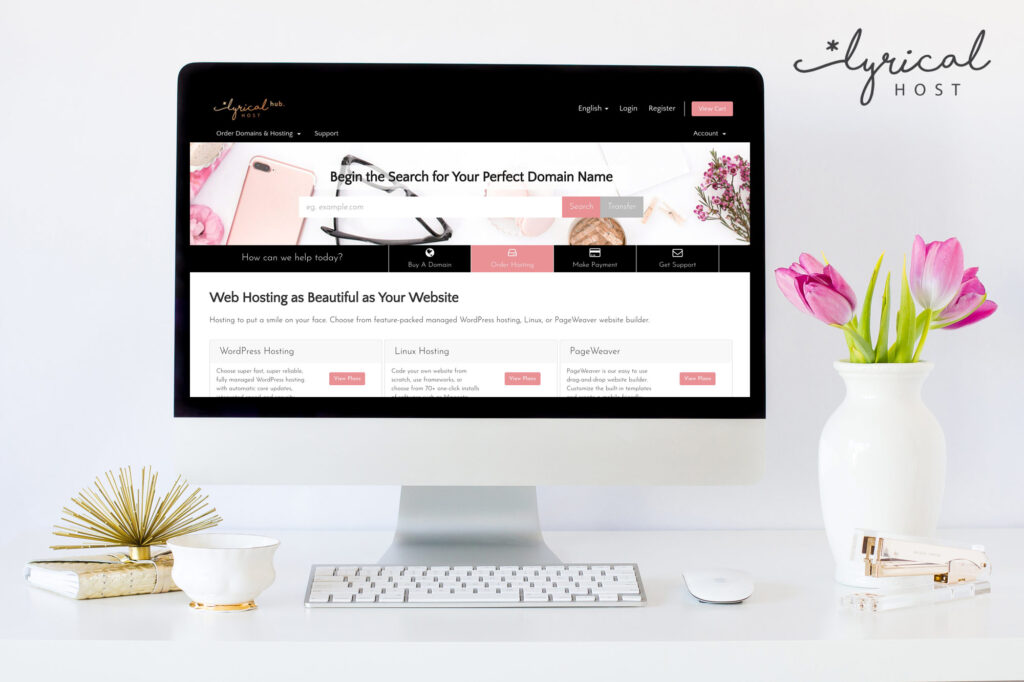
This will give you the details and Information you need on any of their plans. They also offer domain names so you can keep all your hosting in one place.
If you like what you see and want to switch to Lyrical Host, use code: OFAGLASGOWGIRL10 at checkout and you’ll get 10% off all plans for your first year.
And if you decide to pay over the 6 months and so on where there are discounts for payments, you get a further 10% off on top of that when you use my code!
Code: OFAGLASGOWGIRL10 – Lyrical Host Hosting
Using a hosting service such as Lyrical Host is perfect for beginners as they can help you get your blog up and running. No need to worry about changing your theme, migration, and more.
You’ll also have the best customer service team there to support and help. They can assist with any issues that arise on your blog and also help you improve page speed!
They are a great service provider and I’m honestly so happy I’m with them. The support is amazing.

If you choose WordPress
If you do decide to go with WordPress at all, here are a few places to look for blog themes.
I also have some plugins I really recommend you use. They have been invaluable on my journey.
WordPress Plugins I recommend
- MonsterInsights
- All in One SEO
- Better Search Replace
- Cookie Notice & Compliance for GDPR / CCPA
- Custom Featured Post Widget
- Easy Table of Contents
- jQuery Pin It Button for Images
- Regenerate Thumbnails
- Smush
- Social Rocket

How to Start a Blog Step three – Filling your blog
Now that you have your blog up and running, it’s time to fill it with content.
You’ll want to have some content created and ready to publish. You don’t want readers coming to read it and there being no content to consume.
I recommend having around 4-8 blog posts ready to go out within the first few days of your blog being live. This will keep People interested and give them an insight of what kind of content to expect.
First blog post
Personally I think the first blog post should be an introduction to you and your blog. Give them a bit of an insight into your life. Let them know why you started and what you want to achieve.
This is a great way to build up readers’ trust and connect with them. It’s also a good opportunity to ask them questions and ask them to answer in the comments.
I can’t recommend this strategy enough because it’s a good way to bring in engagement and build community.
Here are some more ideas for blog posts to put out when you launch your blog.
Blog post ideas
- A-Z of Me | Get to Know the Blogger
- My 10 Favourite movies
- Where I draw inspiration from
- My 6 months blogging goals
- Where I See Myself in a Year
- Why I Started Blogging | My Story
- 10 things I live about [Insert topic here]
For more blog post ideas, check out my post – Blog Post Ideas: The Ultimate List
There are over 380 blog post ideas in my Ultimate List so you never have to run out of content. All are easily adaptable and can be used as content prompts.
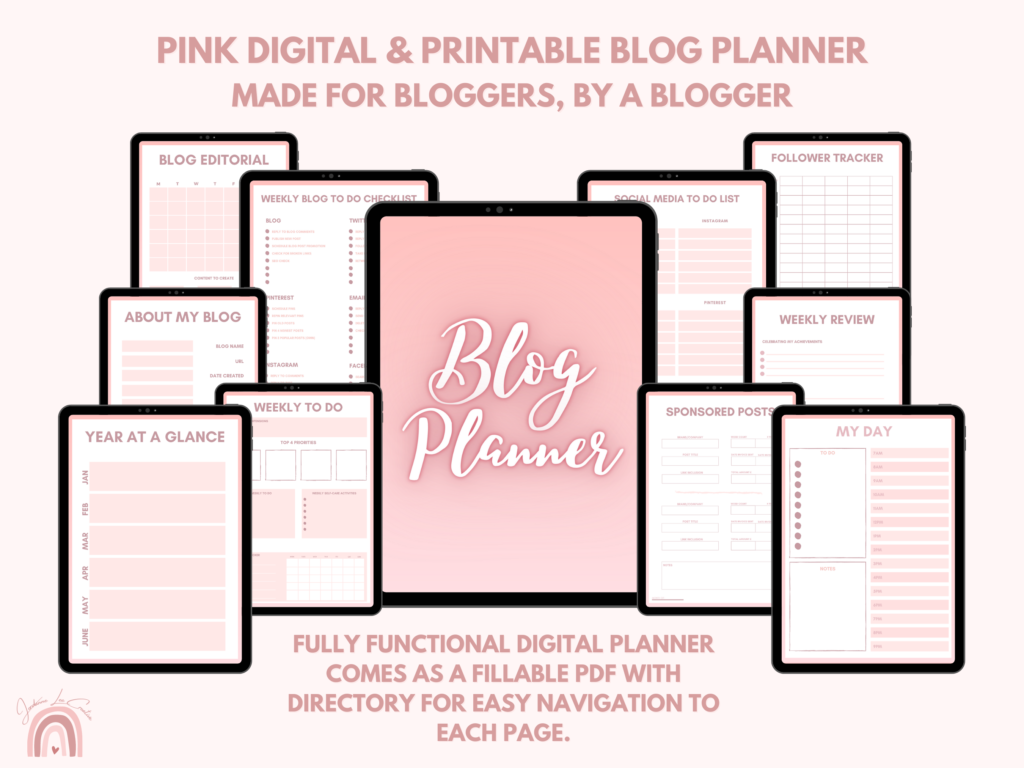
The Blog Planner
As a blogger I know how Important it is to keep on top of the mounting blog to do list.
We have a million things to do it seems all whilst keeping our blog ticking over, That’s why I have designed this Blogging Planner with every blogger in mind.
Made by a blogger for bloggers with 107 pages and a handy directory to eliminate endless scrolling.
The key to a successful and well run blog is organisation, it is imperative that we have what we need at our fingertips, and whilst there are a lot of planners on the market, they aren’t all created with bloggers in mind.
Unlike other traditional planners, this Blog Planner can be purchased once and used over and over again, making this a smart one time investment.
You control how you use your planner.
Get the blog planner today! Click here

How to Start a Blog Step four – Promoting your blog
Now that you have your blog set up and content published, it’s time to get you some readers.
There are many ways in which you can promote your blog on social media, from Twitter to Pinterest, you’ll not be short of places. If you want an in-depth look at free ways you can boost your blog traffic, check out my post – 10 Free Ways to Boost Your Blog Traffic Today!
In that post I go into detail on how you can boost your blog traffic. They are all free and great sources for getting more eyes on your blog.
But I’m going to touch on the top two places for sharing your posts and gaining readers as well as building community.
If you’re looking for community as well as a platform to connect with others and share content, Twitter is the place.
On Twitter there is a huge community of bloggers. It’s a great place to chat and connect with others in your niche. You’ll find blogging threads, places to share content, opportunities to meet other bloggers and so much more.
This is also a great place to gain new readers and followers. By taking part in threads such as these, you can share your content and take part in things such as comment swaps.
These are examples from my Blogging Retweet and community account. Stop by on twitter and say Hi using the hashtag – #bloggerstribe
Introduce yourself and your blog to our whole community.
Blog Comment Thread 🙌
— BloggersTribe (@BloggersTribe) May 4, 2022
✨ Leave your blog/post link
✨ Comment on others posts
✨ RT & Like for more exposure
✨ Have fun
– @ofaglasgowgirl || @JLCreate #bloggerstribe pic.twitter.com/7thfuTnpSE
It’s Saturday Free For all time 🤩
— BloggersTribe (@BloggersTribe) April 30, 2022
Leave any & all links below 👇 Find new people to engage with & If you have any goals you’re trying to achieve, let us know! 🏆
– @ofaglasgowgirl || @JLCreate #Bloggerstribe pic.twitter.com/0QFUm2tLjm
As you can see, these threads are designed to help you gain more blog views and connect with others.
Retweet accounts
Retweet accounts on twitter are perfect for helping get more eyes on your blog. These are specific accounts that help retweet your content to get more eyes on it.
For a more in-depth explanation on retweet accounts and how to use them, check out my post – Blogging retweet accounts that ACTUALLY retweet you
I keep this list updated with active retweet accounts that will retweet your content.
Another platform that’s fantastic for getting more traffic to your blog is Pinterest.
Pinning your content to Pinterest by using bold graphics that stand out to represent your blog posts is brilliant for drawing in the readers.
Make sure that you’re always including a Pinterest Pin in your blog posts. This will encourage others to share it as well.
For a more in-depth look at using Pinterest to drive traffic to your blog, check out this post – 10 Free Ways to Boost Your Blog Traffic Today!


Want to free up some time and get easy, beautiful Pinterest pins that are effective? Then check out my Etsy store which has a variety of different Pinterest Pin Templates.
All are completely customisable, easy to use and take the time out of creating endless pins.
The Pinterest Pin Templates have been designed with the Pinterest optimal specs and created to be bold, stand out and convert views into clicks.
GEt your hands on eye-catching Pinterest Pins Today!
See all of the available designs on my Etsy store.
Final Thoughts
Starting a blog really is an amazing experience.
If it’s something you’re interested in, definitely give it a go, you won’t regret it.
Launch of the blogging resource library on thelifeofaglasgowgirl.co.uk
Remember, my new blogging resource library will be live on the 1st June! As soon as it is open, I will link it here. In The Resource Library you will find all sorts of useful and effective blogging resources and tools.
With free digital and printable products and a new big bundle each month, it will be stocked with relevant and useful tools you can use.
Shop resources
In the meantime you can shop all my digital and printable products currently available on my Gumroad and Etsy store.
Gumroad
Etsy
a complete guide to blogging series
- A Complete Guide to Blogging | Introduction
- Effective Blogging Resources | A Guide to Blogging Part One
- How to Create Eye-Catching Branding for Your Blog | A Complete Guide to Blogging Part Three







Great post Jordanne! This is such a helpful post for all bloggers. I’ve learned a lot just from this post and I know that new and beginner bloggers will especially appreciate this. Thank you for sharing so many great resources!
I wish that this post had existed when I started my blog. I must have read so many ‘how to start a blog’ posts that left me feeling frazzled and terrified. Your post is so clear and concise and accessible. It really lays out what’s important to focus on and what isn’t and you’ve included so many helpful nuggets of advice.
Thank you so much for sharing and for putting in the time and effort to create such a helpful post!
There is so much more that goes into starting a blog, than it appears on the surface. This is such an in-depth guide that is sure to help lots of new bloggers on their way! I love how you mentioned that you don’t have to have a niche to be a successful blogger! I like to write about lots of different topics rather than limiting myself to one niche. Like you say, ‘lifestyle’ pretty much covers it all! x
this was a really helpful blog post. thank you/